Delivery Returns
Section: Warehouse Management (WMS)
URL:/admin/warehouse/manage_order_return_receipt
Page title: (2) Retur livrari
Overview
Delivery returns (customer returns) record stock returned by a customer (incrementing inventory and adjusting the customer balance).
Business value
Customer returns — increments inventory back into stock (or a quarantine warehouse) and triggers a credit note to the customer.
- Who uses it: Customer service, warehouse, finance
- Key benefit: Smooth returns experience that protects customer trust without breaking accounting.
Typical use cases:
- Process an e-commerce return into a quarantine warehouse
- Bulk return from a distributor
At a glance
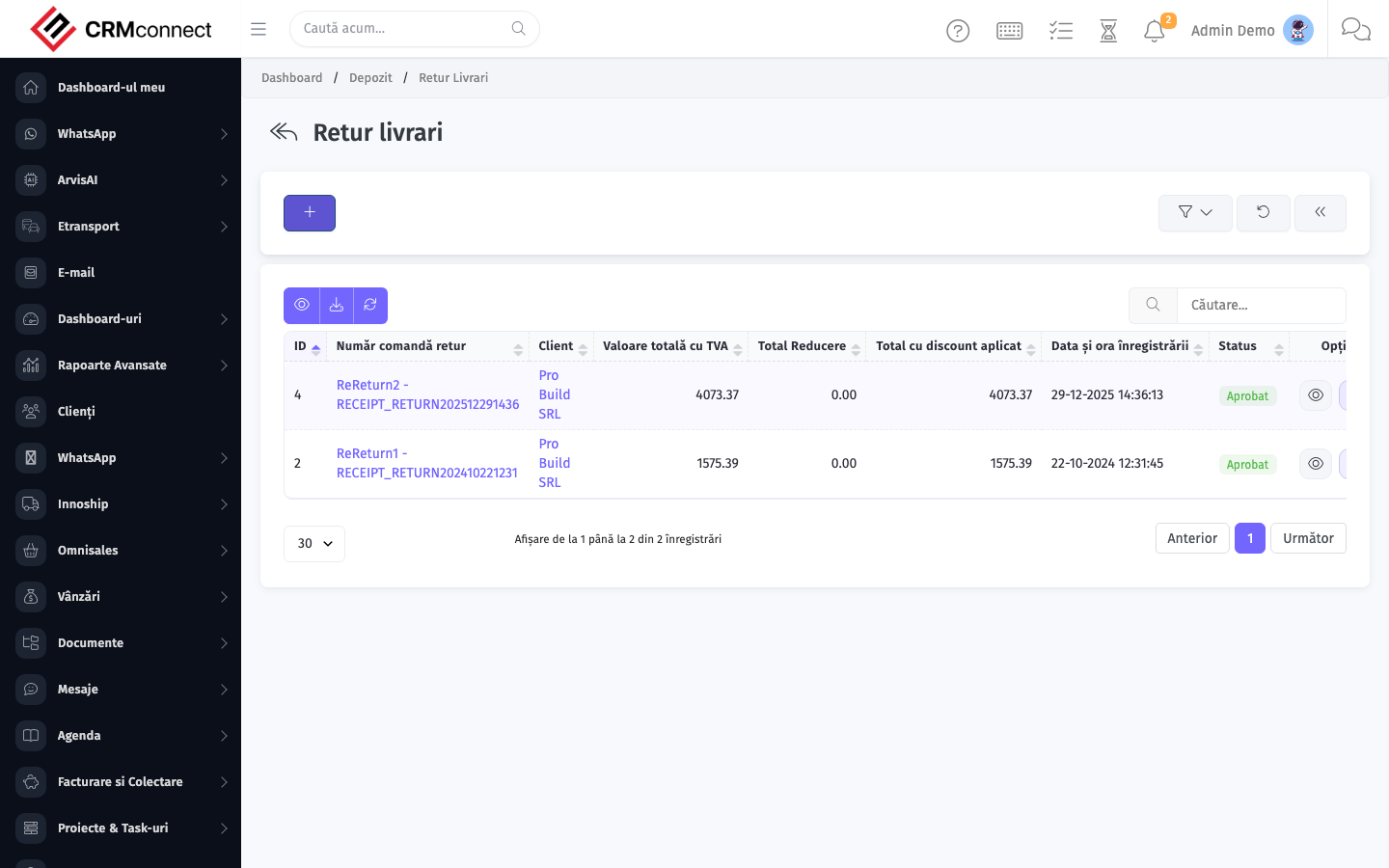
Accessing this module
From the admin sidebar, navigate to Delivery Returns, or open the URL directly:
/admin/warehouse/manage_order_return_receipt
List view
The list view shows existing delivery returns records. Use it to search, filter, sort, and bulk-act on items.
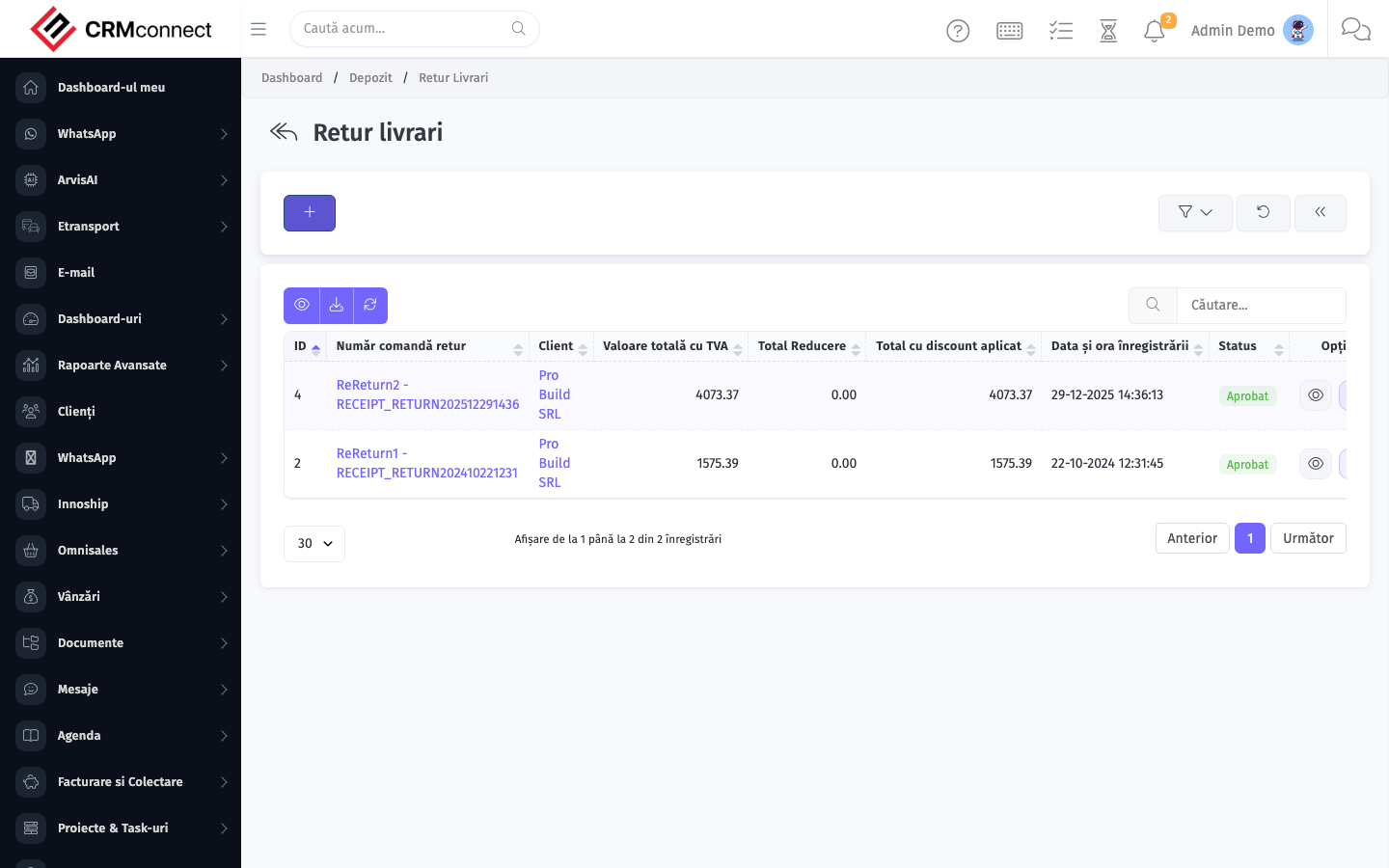
Common actions
- View existing records — open Delivery Returns from the sidebar to see the list view.
- Search and filter — use the search box and column filters to find records.
- Create a new record — click the Add / New button (or follow the "Create" URL above) and fill in the required fields.
- Edit a record — click a row to open the detail view, then use the edit action.
- Delete a record — use the row's delete action; deletion may be soft or hard depending on the module.
- Bulk operations — select multiple rows via the checkboxes and apply a bulk action from the toolbar (export, delete, status change, etc., where supported).
A Delivery Return increments stock AND triggers a credit note to the customer. If you only need to credit the customer without a physical stock return (e.g. a goodwill refund), use Sales → Credit Notes directly instead of creating a delivery return.
Route customer returns to a dedicated quarantine warehouse rather than directly into saleable stock — as documented in the typical use cases. This gives QC time to inspect returned items before they become available for resale.
API
This module is available via the REST API.
Authentication. All API requests require the header authtoken: <token> (generate one at /admin/api/api_management).
Base URL. https://your-domain.tld/api/
Key endpoints:
| Method | Path | Purpose |
|---|---|---|
GET |
{{base_url}}wms/warehouse_manage?page=1&per_page=50 |
List |
GET |
{{base_url}}wms/warehouse_manage/{{wms_record_id}} |
Get one |
POST |
{{base_url}}wms/warehouse_manage |
Create |
PUT |
{{base_url}}wms/warehouse_manage/{{wms_record_id}} |
Update |
DELETE |
{{base_url}}wms/warehouse_manage/{{wms_record_id}} |
Delete |
GET |
{{base_url}}wms/commodity_list?page=1&per_page=50 |
List |
GET |
{{base_url}}wms/commodity_list/{{wms_record_id}} |
Get one |
GET |
{{base_url}}wms/commodity_list/search/{{search_key}} |
Search |
POST |
{{base_url}}wms/commodity_list |
Create |
PUT |
{{base_url}}wms/commodity_list/{{wms_record_id}} |
Update |
DELETE |
{{base_url}}wms/commodity_list/{{wms_record_id}} |
Delete |
GET |
{{base_url}}wms/manage_purchase?page=1&per_page=50 |
List |
GET |
{{base_url}}wms/manage_purchase/{{wms_record_id}} |
Get one |
POST |
{{base_url}}wms/manage_purchase |
Create |
PUT |
{{base_url}}wms/manage_purchase/{{wms_record_id}} |
Update |
DELETE |
{{base_url}}wms/manage_purchase/{{wms_record_id}} |
Delete |
GET |
{{base_url}}wms/manage_delivery?page=1&per_page=50 |
List |
GET |
{{base_url}}wms/manage_delivery/{{wms_record_id}} |
Get one |
POST |
{{base_url}}wms/manage_delivery |
Create |
PUT |
{{base_url}}wms/manage_delivery/{{wms_record_id}} |
Update |
See the full payload schemas, query parameters, and example responses in the API reference (`WMS`).
Captured: 2026-05-10T09:51:26.776Z · Source: demo.crmconnect.io/admin/warehouse/manage_order_return_receipt