Innoship Couriers
Section: Integrations & AI
URL:/admin/innoship
Page title: (2) Lista AWB
Overview
Innoship integration for automated courier shipping label generation.
Business value
Innoship integration — generates courier shipping labels (DPD, FAN, GLS, Cargus, etc.) directly from a delivery note. Eliminates the courier-portal switch.
- Who uses it: Logistics, fulfilment, e-commerce
- Key benefit: Cuts label-generation time per shipment from minutes to seconds.
Typical use cases:
- Bulk-print labels for the day's outbound shipments
- AWB tracking visible inside the CRM
At a glance
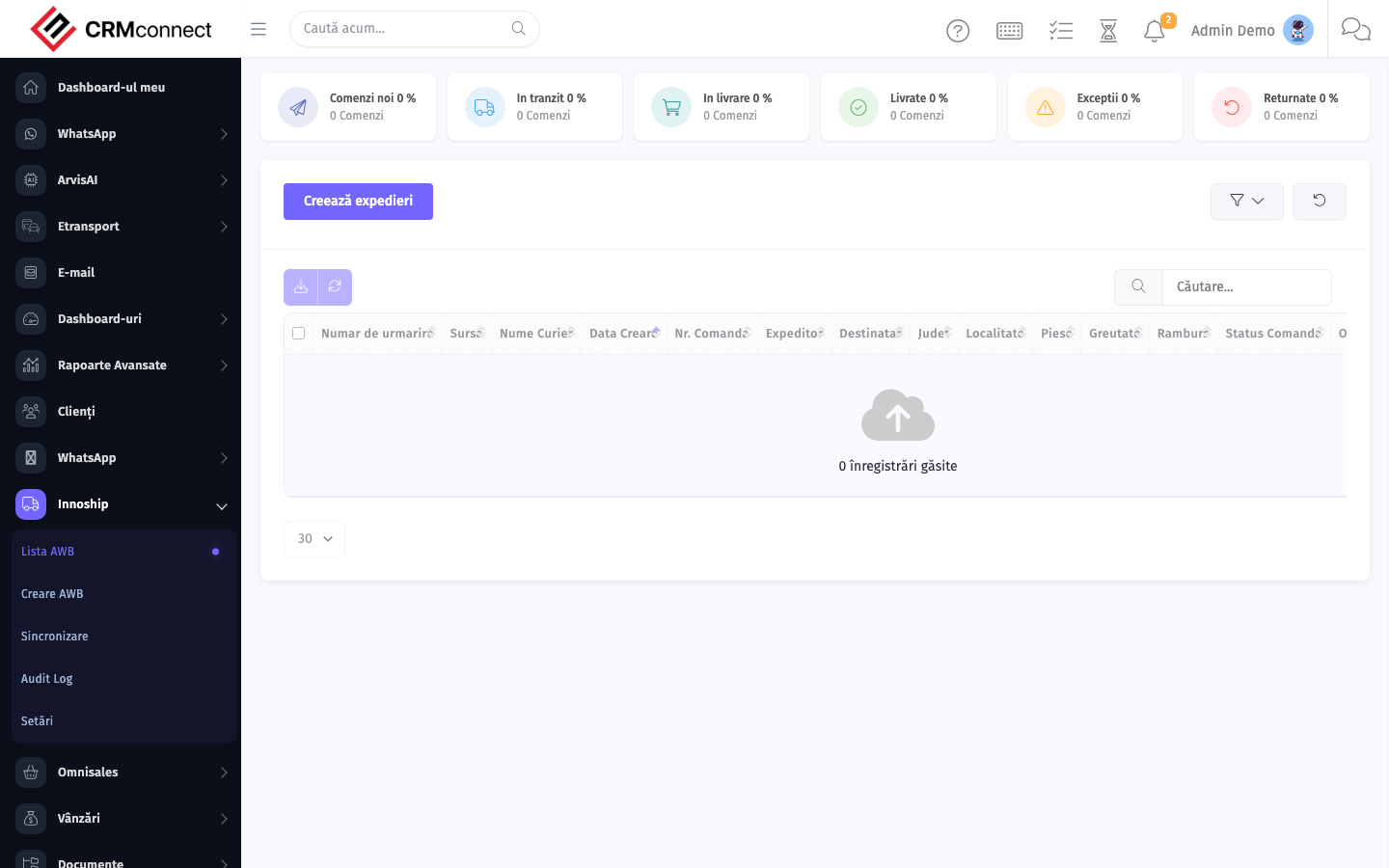
Accessing this module
From the admin sidebar, navigate to Innoship Couriers, or open the URL directly:
/admin/innoship
List view
The list view shows existing innoship couriers records. Use it to search, filter, sort, and bulk-act on items.

Common actions
- View existing records — open Innoship Couriers from the sidebar to see the list view.
- Search and filter — use the search box and column filters to find records.
- Create a new record — click the Add / New button (or follow the "Create" URL above) and fill in the required fields.
- Edit a record — click a row to open the detail view, then use the edit action.
- Delete a record — use the row's delete action; deletion may be soft or hard depending on the module.
- Bulk operations — select multiple rows via the checkboxes and apply a bulk action from the toolbar (export, delete, status change, etc., where supported).
Bulk-generate AWBs for all confirmed deliveries in a single action — select multiple delivery notes and generate labels at once to prepare the day's outbound shipments without opening each record individually.
AWB tracking status is visible directly from the delivery note inside the CRM — you don't need to visit the Innoship or courier portal to check whether a parcel is in transit, delivered, or returned.
Captured: 2026-05-10T09:51:26.776Z · Source: demo.crmconnect.io/admin/innoship