Purchase Contracts
Section: Purchase Management
URL:/admin/purchase/contracts
Page title: (2) Contracte achiziții
Overview
Long-term purchase agreements with vendors — frame contracts, blanket orders, supply contracts.
Business value
Long-term purchase agreements with vendors — frame contracts, blanket POs, MSAs. Locks in pricing and terms over time, with renewal alerts.
- Who uses it: Procurement, finance, legal
- Key benefit: Protects against price volatility and compresses repetitive PO admin.
Typical use cases:
- Annual frame contract for office supplies
- Multi-year IT services MSA
At a glance
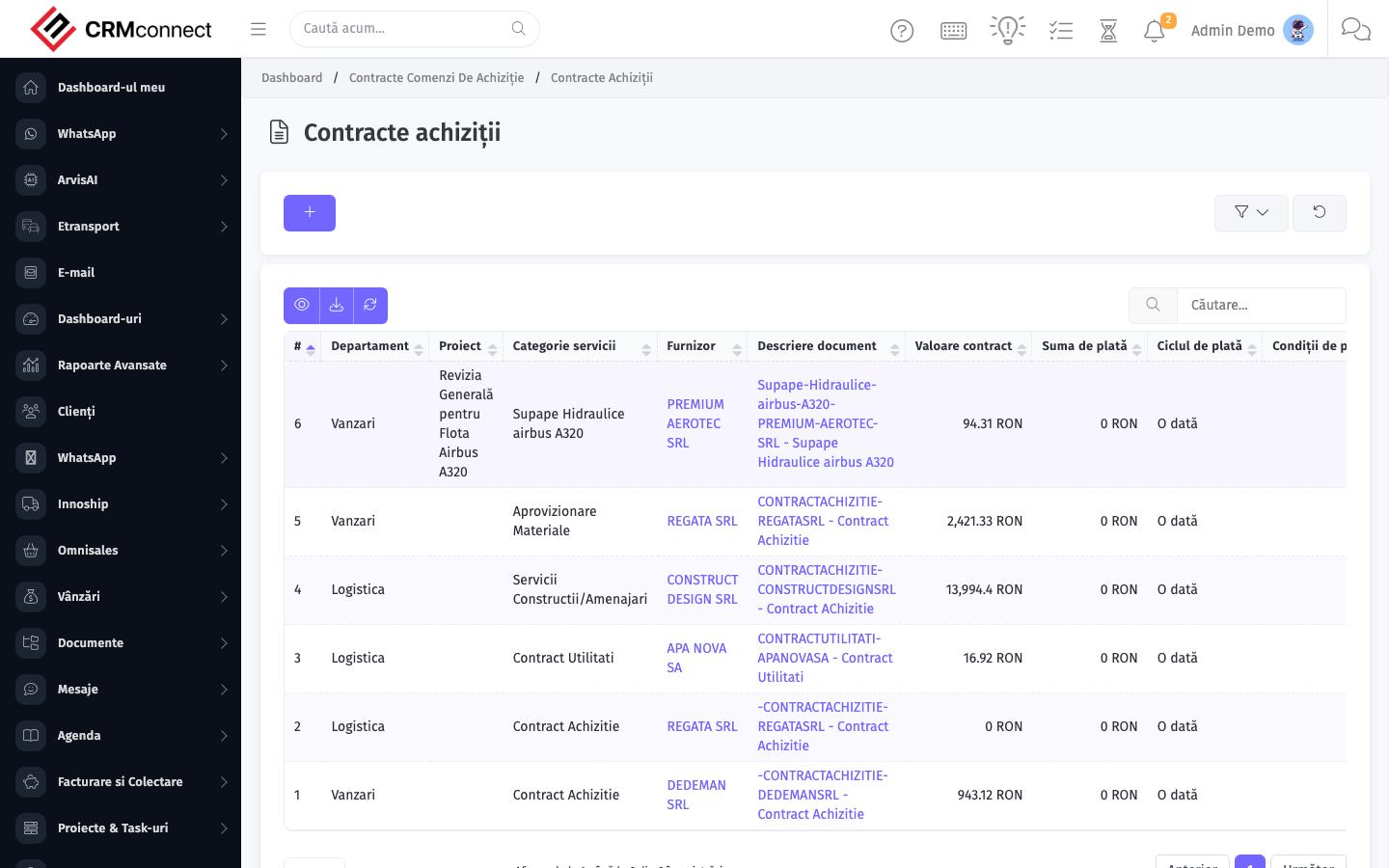
Accessing this module
From the admin sidebar, navigate to Purchase Contracts, or open the URL directly:
/admin/purchase/contracts
List view
The list view shows existing purchase contracts records. Use it to search, filter, sort, and bulk-act on items.
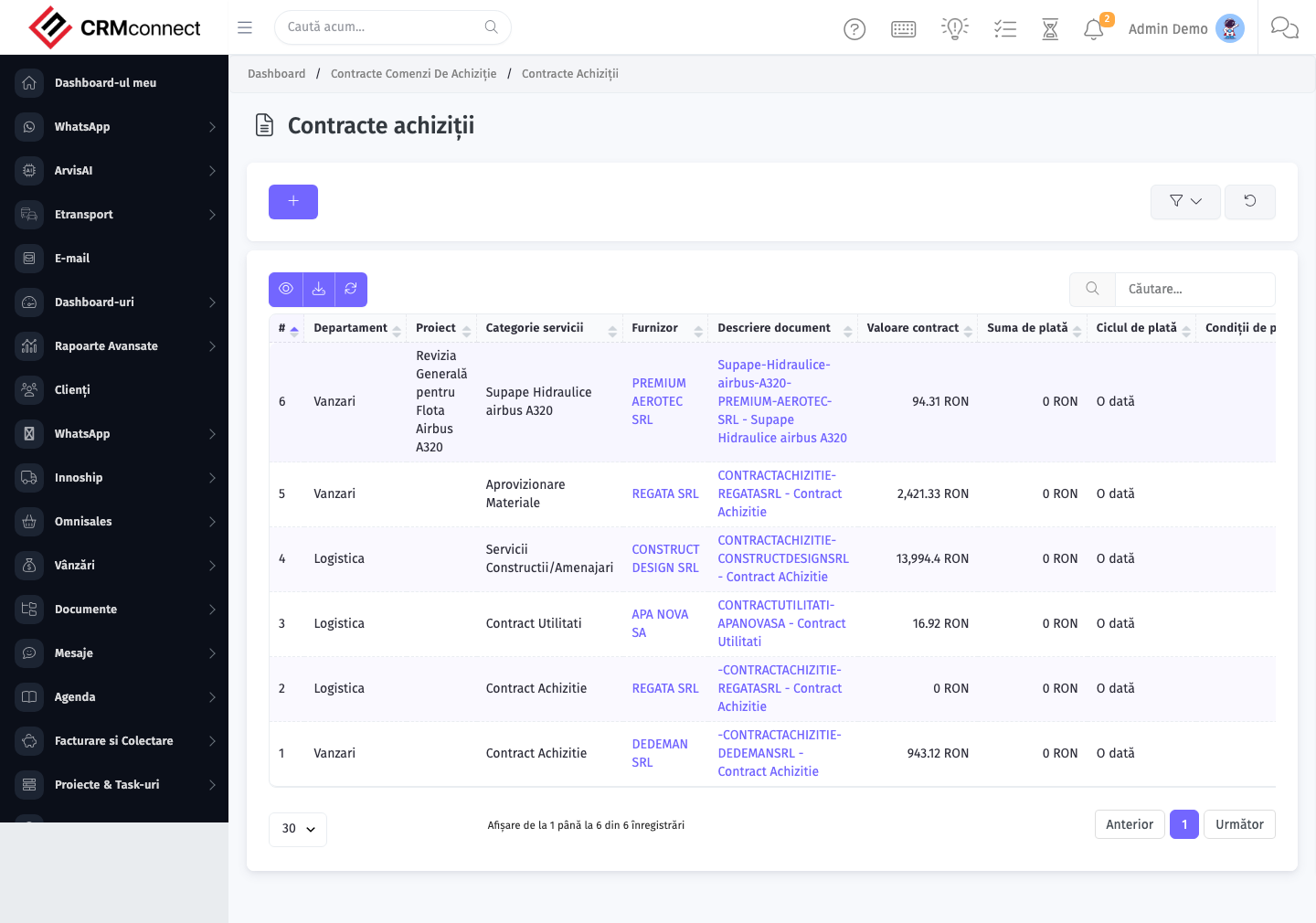
Common actions
- View existing records — open Purchase Contracts from the sidebar to see the list view.
- Search and filter — use the search box and column filters to find records.
- Create a new record — click the Add / New button (or follow the "Create" URL above) and fill in the required fields.
- Edit a record — click a row to open the detail view, then use the edit action.
- Delete a record — use the row's delete action; deletion may be soft or hard depending on the module.
- Bulk operations — select multiple rows via the checkboxes and apply a bulk action from the toolbar (export, delete, status change, etc., where supported).
Set a renewal alert date on every Purchase Contract — the platform sends a notification before expiry so you can renegotiate before the contract lapses and spot purchases revert to uncontrolled pricing.
Purchase Contracts are frame/master agreements — they record agreed terms and pricing but do not automatically generate Purchase Orders. Individual POs still need to be raised and linked to the contract for each delivery.
API
This module is available via the REST API.
Authentication. All API requests require the header authtoken: <token> (generate one at /admin/api/api_management).
Base URL. https://your-domain.tld/api/
Key endpoints:
| Method | Path | Purpose |
|---|---|---|
GET |
{{base_url}}purchase/items?page=1&per_page=50 |
List |
GET |
{{base_url}}purchase/items/{{purchase_record_id}} |
Get one |
GET |
{{base_url}}purchase/items/search/{{search_key}} |
Search |
POST |
{{base_url}}purchase/items |
Create |
PUT |
{{base_url}}purchase/items/{{purchase_record_id}} |
Update |
DELETE |
{{base_url}}purchase/items/{{purchase_record_id}} |
Delete |
GET |
{{base_url}}purchase/vendors?page=1&per_page=50 |
List |
GET |
{{base_url}}purchase/vendors/{{purchase_record_id}} |
Get one |
GET |
{{base_url}}purchase/vendors/search/{{search_key}} |
Search |
POST |
{{base_url}}purchase/vendors |
Create |
PUT |
{{base_url}}purchase/vendors/{{purchase_record_id}} |
Update |
DELETE |
{{base_url}}purchase/vendors/{{purchase_record_id}} |
Delete |
GET |
{{base_url}}purchase/vendor_items?page=1&per_page=50 |
List |
GET |
{{base_url}}purchase/vendor_items/{{purchase_record_id}} |
Get one |
POST |
{{base_url}}purchase/vendor_items |
Create |
PUT |
{{base_url}}purchase/vendor_items/{{purchase_record_id}} |
Update |
DELETE |
{{base_url}}purchase/vendor_items/{{purchase_record_id}} |
Delete |
GET |
{{base_url}}purchase/purchase_request?page=1&per_page=50 |
List |
GET |
{{base_url}}purchase/purchase_request/{{purchase_record_id}} |
Get one |
POST |
{{base_url}}purchase/purchase_request |
Create |
See the full payload schemas, query parameters, and example responses in the API reference (`Purchase`).
Captured: 2026-05-10T09:51:26.776Z · Source: demo.crmconnect.io/admin/purchase/contracts