Assets
Section: Asset Management
URL:/admin/assets
Overview
Asset register — track physical assets, depreciation, assignment, and maintenance.
Business value
Tracks physical assets (laptops, machinery, furniture) — value, depreciation, assignment, maintenance schedule. Closes the gap between accounting (book value) and ops (where is it, who has it).
- Who uses it: IT, finance, facilities, operations
- Key benefit: Stops asset shrinkage and supports accurate depreciation accounting.
Typical use cases:
- Annual asset audit
- Track which laptop is assigned to which employee
- Schedule maintenance before equipment fails
At a glance

Accessing this module
From the admin sidebar, navigate to Assets, or open the URL directly:
/admin/assets
List view
The list view shows existing assets records. Use it to search, filter, sort, and bulk-act on items.
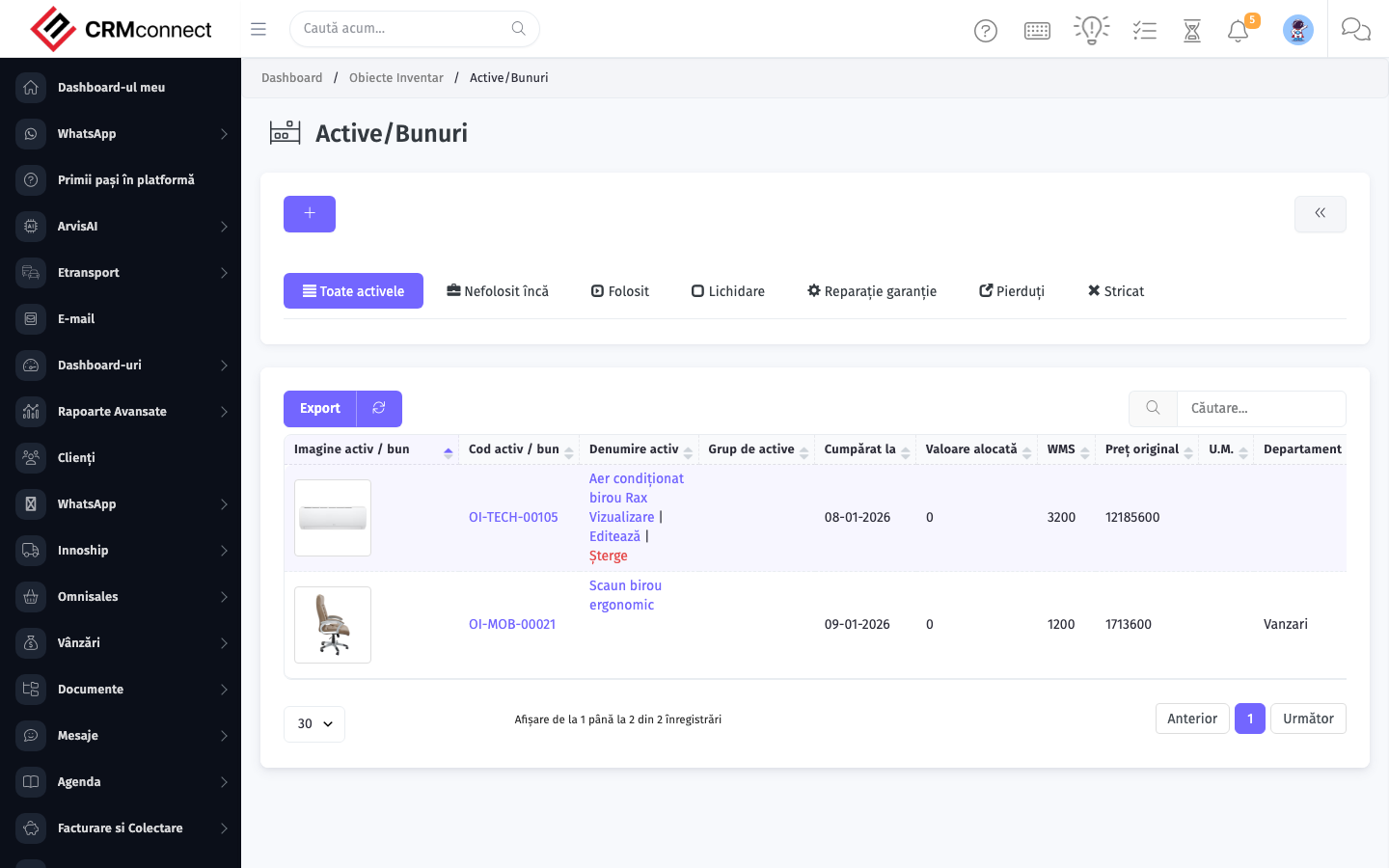
Common actions
- View existing records — open Assets from the sidebar to see the list view.
- Search and filter — use the search box and column filters to find records.
- Create a new record — click the Add / New button (or follow the "Create" URL above) and fill in the required fields.
- Edit a record — click a row to open the detail view, then use the edit action.
- Delete a record — use the row's delete action; deletion may be soft or hard depending on the module.
- Bulk operations — select multiple rows via the checkboxes and apply a bulk action from the toolbar (export, delete, status change, etc., where supported).
Run an annual asset audit using the bulk export — filter by department or location to generate a reconciliation list, then update assignment, condition, and location in one batch to keep the register accurate for depreciation reporting.
Schedule preventive maintenance from the asset record before equipment failures occur — proactive maintenance costs less than emergency repairs and prevents operational downtime that affects the teams using the asset.
Captured: 2026-05-10T09:51:26.776Z · Source: demo.crmconnect.io/admin/assets