Proposals
Section: Sales & Billing
URL:/admin/proposals
Page title: (2) Oferte
Overview
Proposals are richer, often longer, sales documents than estimates — typically including a cover letter, scope, and pricing. Track sent, viewed, and accepted states.
Business value
Long-form sales documents (cover letter, scope, terms, pricing) that win complex deals where a one-line quote isn't enough. Customers view, comment, and accept online — with view-tracking so reps know when to follow up.
- Who uses it: Account executives, sales engineers, marketing
- Key benefit: Closes more strategic deals by replacing static PDFs with interactive, trackable documents.
- Metrics it influences: Proposal acceptance rate, time-to-send, deals influenced
Typical use cases:
- Send a multi-page solution proposal with embedded pricing tables
- Get notified when the prospect opens the proposal — and follow up that day
- Re-use proposal sections as templates to draft new ones in minutes
At a glance
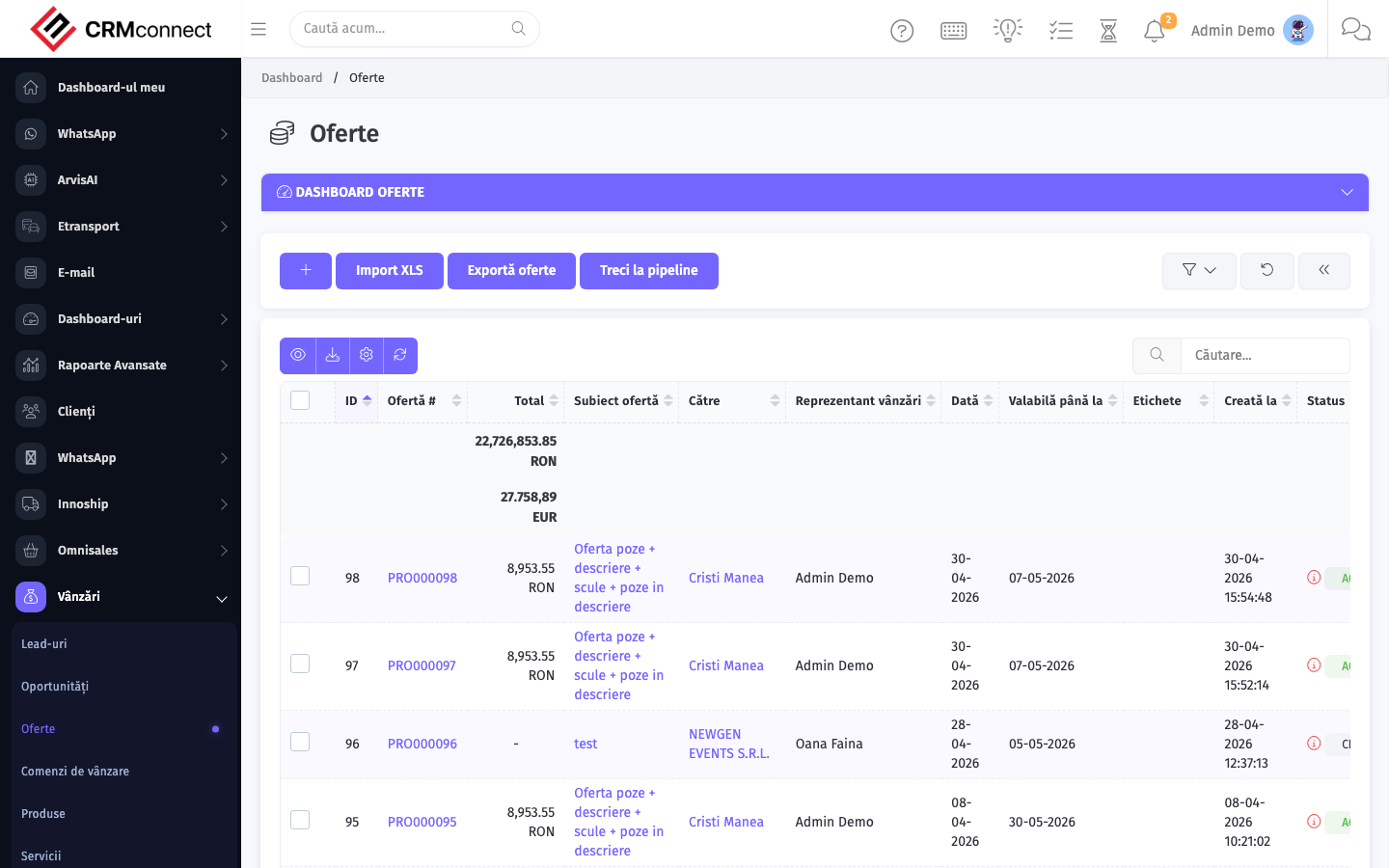
Accessing this module
From the admin sidebar, navigate to Proposals, or open the URL directly:
/admin/proposals
List view
The list view shows existing proposals records. Use it to search, filter, sort, and bulk-act on items.
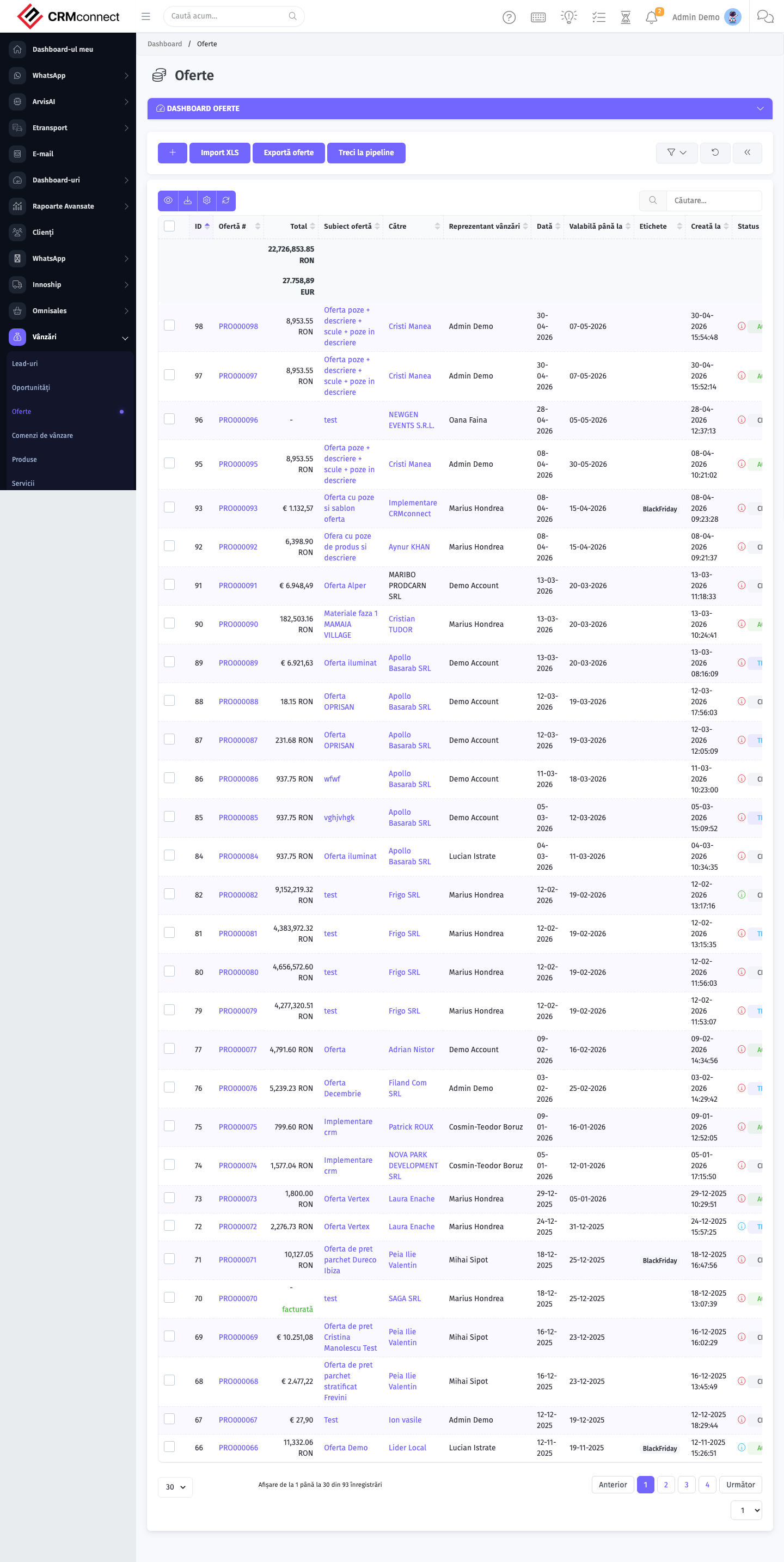
Common actions
- View existing records — open Proposals from the sidebar to see the list view.
- Search and filter — use the search box and column filters to find records.
- Create a new record — click the Add / New button (or follow the "Create" URL above) and fill in the required fields.
- Edit a record — click a row to open the detail view, then use the edit action.
- Delete a record — use the row's delete action; deletion may be soft or hard depending on the module.
- Bulk operations — select multiple rows via the checkboxes and apply a bulk action from the toolbar (export, delete, status change, etc., where supported).
The platform notifies you when a prospect opens a proposal — use that signal to follow up the same day while you are top of mind. View-tracking is built in and requires no additional tools.
Accepted proposals convert to a Sales Order with one click, copying all line items and terms without re-keying. This closes the loop from proposal to order and starts the fulfilment and invoicing flow.
API
This module is available via the REST API.
Authentication. All API requests require the header authtoken: <token> (generate one at /admin/api/api_management).
Base URL. https://your-domain.tld/api/
Key endpoints:
| Method | Path | Purpose |
|---|---|---|
POST |
{{base_url}}proposals |
Add New Proposals |
GET |
{{base_url}}proposals?nr_page=&per_page= |
List All |
GET |
{{base_url}}proposals/:id |
Get One Proposal |
GET |
{{base_url}}proposals/search/:value |
Search Proposal Information |
PUT |
{{base_url}}proposals/:id |
Update a Proposals |
DELETE |
{{base_url}}delete/proposals/:id |
Delete Proposal |
See the full payload schemas, query parameters, and example responses in the API reference (`Proposals`).
Captured: 2026-05-10T09:51:26.776Z · Source: demo.crmconnect.io/admin/proposals