Received Quotations
Section: Purchase Management
URL:/admin/purchase/myquotations
Page title: (2) Oferte primite
Overview
Quotations received in response to an RFQ — compare and select the winning vendor.
Business value
Quotations received from vendors in response to your RFQs — stored, comparable, convertible to a PO with one click.
- Who uses it: Procurement, buyers
- Key benefit: Faster, more transparent vendor selection backed by an audit trail.
Typical use cases:
- Compare three vendor quotes on price, lead-time, and terms
- Convert the winning quote into a PO without re-keying
At a glance
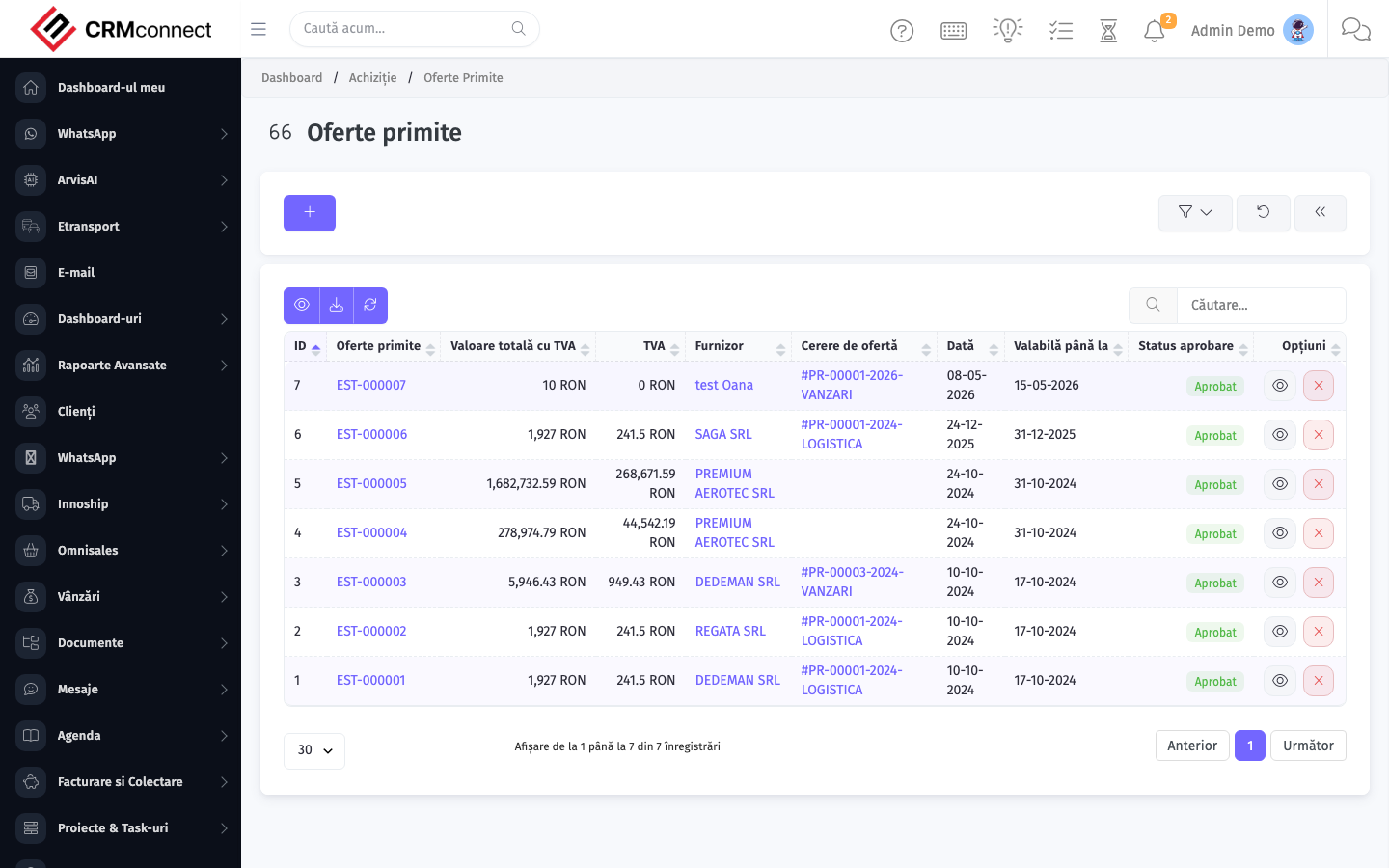
Accessing this module
From the admin sidebar, navigate to Received Quotations, or open the URL directly:
/admin/purchase/myquotations
List view
The list view shows existing received quotations records. Use it to search, filter, sort, and bulk-act on items.
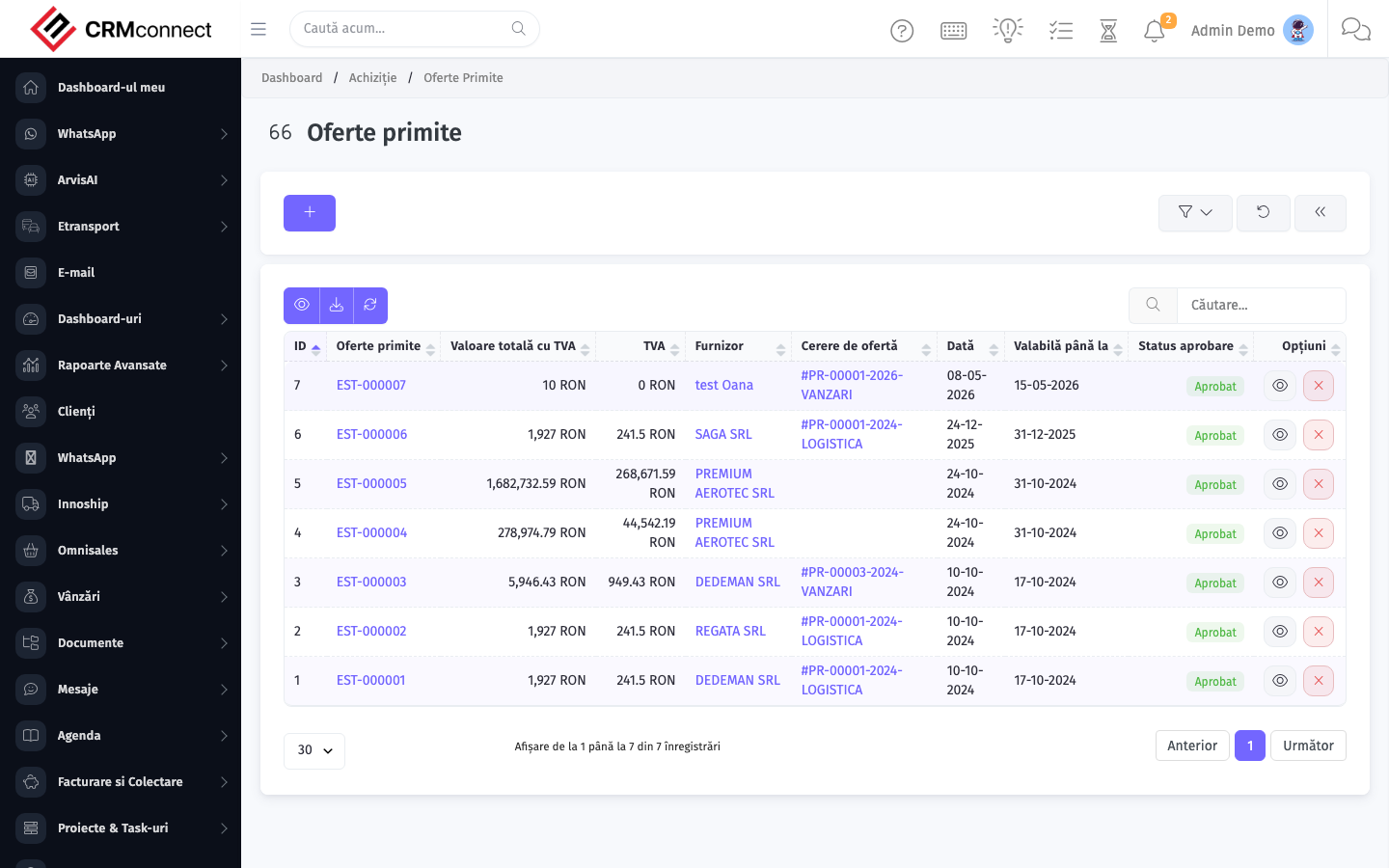
Common actions
- View existing records — open Received Quotations from the sidebar to see the list view.
- Search and filter — use the search box and column filters to find records.
- Create a new record — click the Add / New button (or follow the "Create" URL above) and fill in the required fields.
- Edit a record — click a row to open the detail view, then use the edit action.
- Delete a record — use the row's delete action; deletion may be soft or hard depending on the module.
- Bulk operations — select multiple rows via the checkboxes and apply a bulk action from the toolbar (export, delete, status change, etc., where supported).
Convert the winning quotation to a Purchase Order with one click — the platform pre-fills the PO from the accepted quotation lines so vendor part numbers, prices, and terms are carried over without re-keying.
All vendor responses to an RFQ are stored here side-by-side, linked back to the originating RFQ. This gives you a complete bid-comparison audit trail for compliance or post-event review.
API
This module is available via the REST API.
Authentication. All API requests require the header authtoken: <token> (generate one at /admin/api/api_management).
Base URL. https://your-domain.tld/api/
Key endpoints:
| Method | Path | Purpose |
|---|---|---|
GET |
{{base_url}}purchase/items?page=1&per_page=50 |
List |
GET |
{{base_url}}purchase/items/{{purchase_record_id}} |
Get one |
GET |
{{base_url}}purchase/items/search/{{search_key}} |
Search |
POST |
{{base_url}}purchase/items |
Create |
PUT |
{{base_url}}purchase/items/{{purchase_record_id}} |
Update |
DELETE |
{{base_url}}purchase/items/{{purchase_record_id}} |
Delete |
GET |
{{base_url}}purchase/vendors?page=1&per_page=50 |
List |
GET |
{{base_url}}purchase/vendors/{{purchase_record_id}} |
Get one |
GET |
{{base_url}}purchase/vendors/search/{{search_key}} |
Search |
POST |
{{base_url}}purchase/vendors |
Create |
PUT |
{{base_url}}purchase/vendors/{{purchase_record_id}} |
Update |
DELETE |
{{base_url}}purchase/vendors/{{purchase_record_id}} |
Delete |
GET |
{{base_url}}purchase/vendor_items?page=1&per_page=50 |
List |
GET |
{{base_url}}purchase/vendor_items/{{purchase_record_id}} |
Get one |
POST |
{{base_url}}purchase/vendor_items |
Create |
PUT |
{{base_url}}purchase/vendor_items/{{purchase_record_id}} |
Update |
DELETE |
{{base_url}}purchase/vendor_items/{{purchase_record_id}} |
Delete |
GET |
{{base_url}}purchase/purchase_request?page=1&per_page=50 |
List |
GET |
{{base_url}}purchase/purchase_request/{{purchase_record_id}} |
Get one |
POST |
{{base_url}}purchase/purchase_request |
Create |
See the full payload schemas, query parameters, and example responses in the API reference (`Purchase`).
Captured: 2026-05-10T09:51:26.776Z · Source: demo.crmconnect.io/admin/purchase/myquotations