Tasks
Section: Operations
URL:/admin/tasks
Page title: (2) Task-uri
Overview
Tasks are atomic work items that can be standalone or attached to a project, ticket, lead, opportunity, invoice, etc.
Business value
Atomic units of work — assigned, due-dated, prioritised — that can stand alone or attach to a project, ticket, lead, opportunity, or any other record. The single inbox where every team member sees what they have to do next.
- Who uses it: Every staff member, managers
- Key benefit: Nothing falls through the cracks; managers see who's overloaded vs underutilised at a glance.
Typical use cases:
- A sales rep's daily call/email queue
- A delivery PM's task board for an active project
- Recurring weekly tasks (audit, report, sync) for ops
At a glance
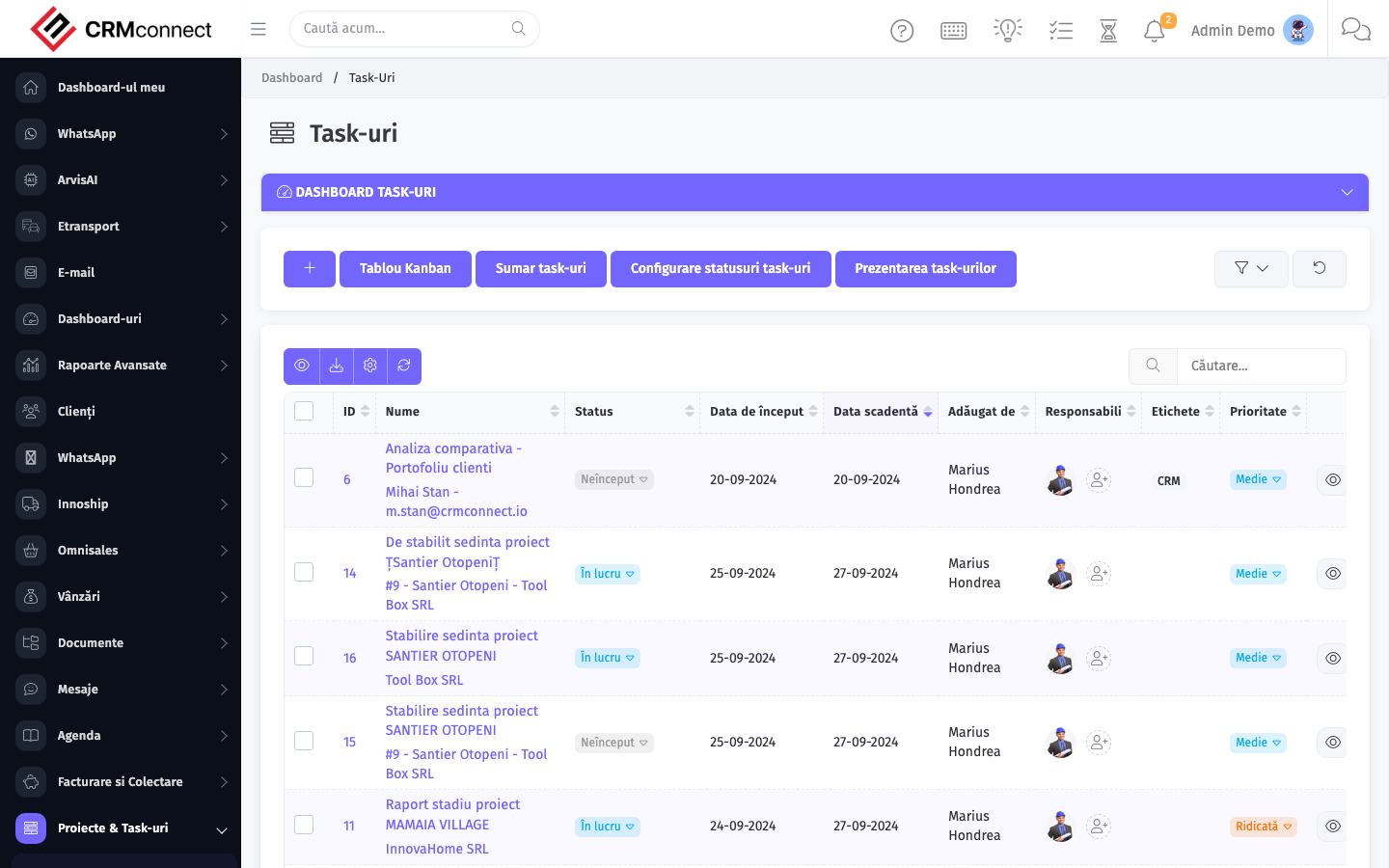
Accessing this module
From the admin sidebar, navigate to Tasks, or open the URL directly:
/admin/tasks
List view
The list view shows existing tasks records. Use it to search, filter, sort, and bulk-act on items.

Common actions
- View existing records — open Tasks from the sidebar to see the list view.
- Search and filter — use the search box and column filters to find records.
- Create a new record — click the Add / New button (or follow the "Create" URL above) and fill in the required fields.
- Edit a record — click a row to open the detail view, then use the edit action.
- Delete a record — use the row's delete action; deletion may be soft or hard depending on the module.
- Bulk operations — select multiple rows via the checkboxes and apply a bulk action from the toolbar (export, delete, status change, etc., where supported).
Use Task Dependencies to chain tasks that must run in sequence — a dependent task is automatically blocked until its predecessor is completed. This prevents team members from starting work prematurely and makes the critical path visible in the Gantt view.
Tasks assigned to a staff member appear on their personal dashboard and trigger email or in-app notifications. Unassigned tasks are only visible to project managers and admins — always assign a responsible person to avoid tasks going unnoticed.
API
This module is available via the REST API.
Authentication. All API requests require the header authtoken: <token> (generate one at /admin/api/api_management).
Base URL. https://your-domain.tld/api/
Key endpoints:
| Method | Path | Purpose |
|---|---|---|
POST |
{{base_url}}tasks |
Add New Task |
GET |
{{base_url}}tasks?nr_page=1&per_page=10 |
All |
GET |
{{base_url}}tasks/:id |
Get One Task |
GET |
{{base_url}}tasks/search/using |
Search Task Information |
PUT |
{{base_url}}tasks/144 |
Update a Task |
DELETE |
{{base_url}}delete/tasks/:id |
Delete a Task |
See the full payload schemas, query parameters, and example responses in the API reference (`Tasks`).
Captured: 2026-05-10T09:51:26.776Z · Source: demo.crmconnect.io/admin/tasks