Proformas
Section: Sales & Billing
URL:/admin/proformas
Page title: (2) Proforme
Overview
Proformas are pre-invoice documents used in many jurisdictions for advance payment requests and customs declarations.
Business value
Pre-invoice documents required in many jurisdictions (and by many B2B buyers) for advance-payment requests, customs declarations, and procurement-approval workflows.
- Who uses it: Finance / AR, sales, export operations
- Key benefit: Unlocks deals where the buyer requires a proforma before issuing a PO or wiring an advance.
Typical use cases:
- Send a proforma so a public-sector buyer can raise a PO in their system
- Provide proforma documentation for customs on cross-border shipments
- Convert a paid proforma to a formal invoice on receipt of payment
At a glance
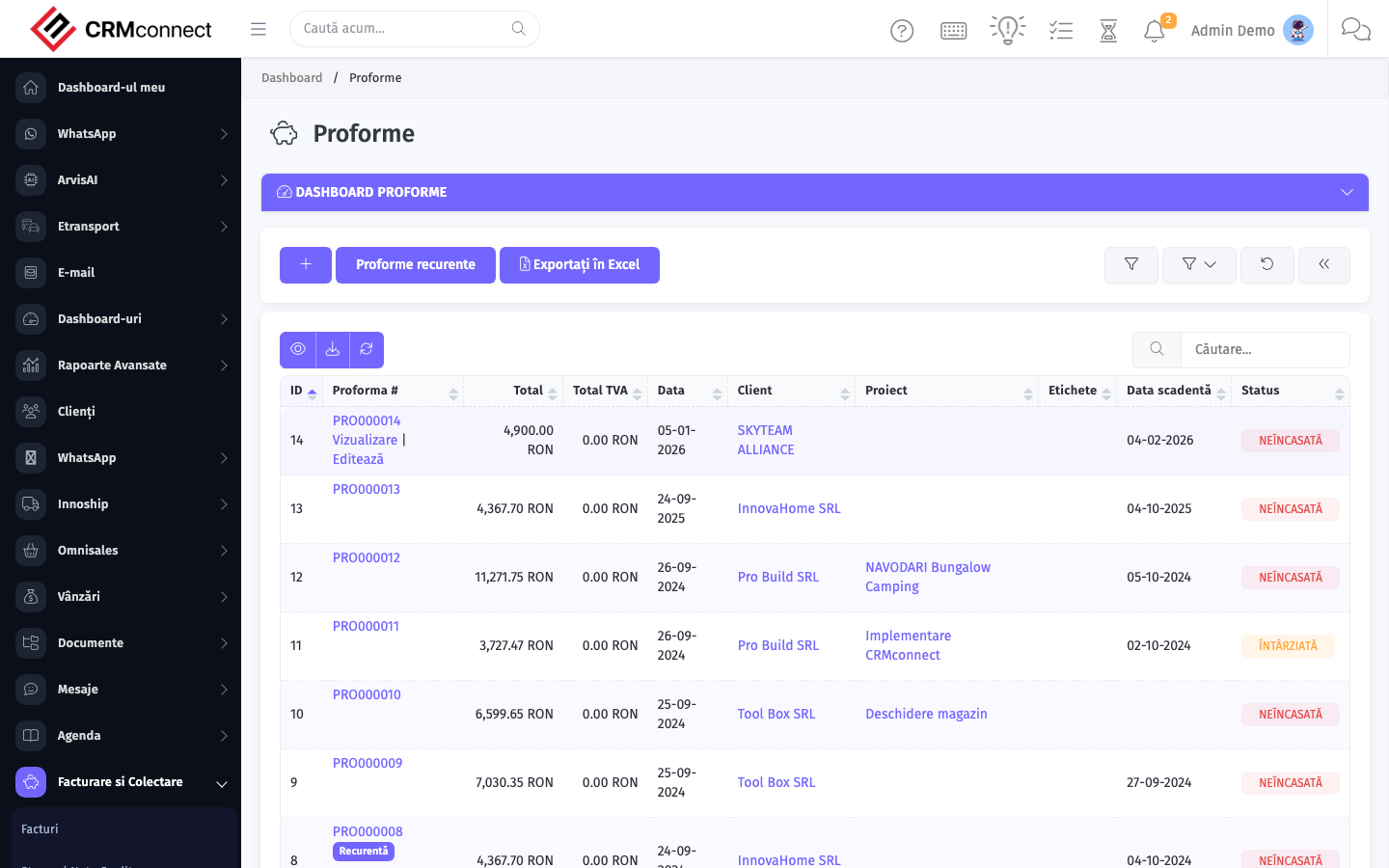
Accessing this module
From the admin sidebar, navigate to Proformas, or open the URL directly:
/admin/proformas
List view
The list view shows existing proformas records. Use it to search, filter, sort, and bulk-act on items.
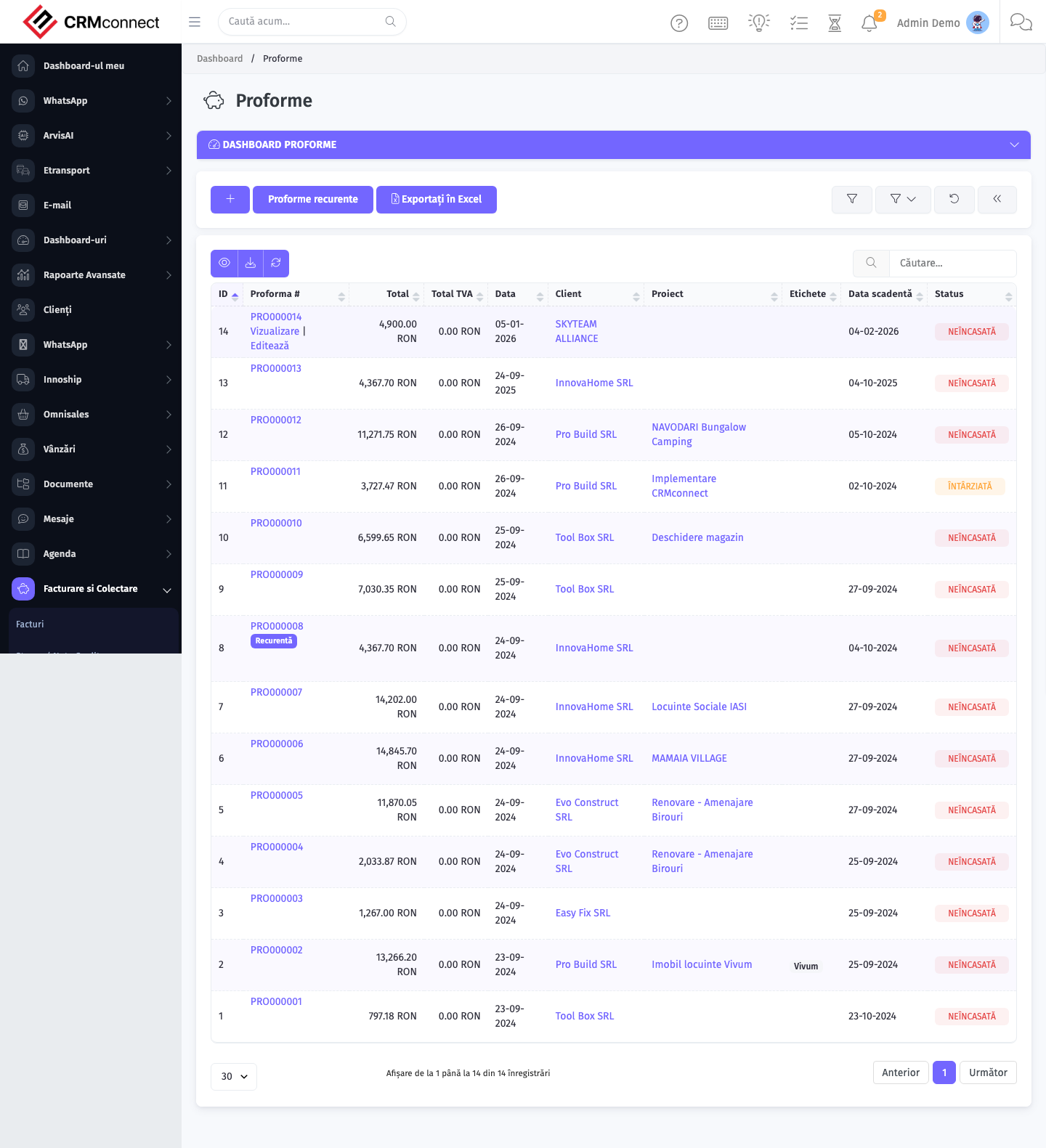
Common actions
- View existing records — open Proformas from the sidebar to see the list view.
- Search and filter — use the search box and column filters to find records.
- Create a new record — click the Add / New button (or follow the "Create" URL above) and fill in the required fields.
- Edit a record — click a row to open the detail view, then use the edit action.
- Delete a record — use the row's delete action; deletion may be soft or hard depending on the module.
- Bulk operations — select multiple rows via the checkboxes and apply a bulk action from the toolbar (export, delete, status change, etc., where supported).
Convert a paid proforma to a formal invoice with one click — the platform copies all line items, taxes, and client details automatically so no data needs to be re-entered when the advance payment is received.
Proformas are pre-invoice documents — they are not fiscal tax documents and cannot replace a VAT invoice for accounting or VAT-recovery purposes. Always issue a proper invoice after payment is confirmed.
Recurring Proformas
URL:
/admin/proformas/recurring
Recurring Proformas automate the periodic re-issuance of a proforma document — useful for subscription-style advance-payment requests, retainer arrangements, or any situation where the same proforma needs to be sent on a fixed schedule (monthly, quarterly, annually).
When the recurrence fires, the system creates a new proforma pre-populated from the template record and, depending on configuration, can notify the assigned staff member automatically.
Key actions:
- Create a recurring proforma — navigate to
/admin/proformas/recurringand click Add; configure the start date, frequency (weekly / monthly / yearly), and the number of recurrences or end date. - Link to a client — select the client so each generated proforma is associated with the correct account.
- Edit the schedule — open an existing recurring record and adjust frequency or end date; changes take effect from the next scheduled cycle.
- Stop recurrence — set the status to inactive or set an end date in the past to prevent further generation.
- View generated proformas — each cycle creates a standard proforma visible in the main
/admin/proformaslist, linked back to the recurring template.
API
This module is available via the REST API.
Authentication. All API requests require the header authtoken: <token> (generate one at /admin/api/api_management).
Base URL. https://your-domain.tld/api/
Key endpoints:
| Method | Path | Purpose |
|---|---|---|
POST |
{{base_url}}proformas |
Add new Proforma |
GET |
{{base_url}}proformas?nr_page&per_page= |
List all Proformas |
GET |
{{base_url}}proformas/:id |
One Proforma |
GET |
{{base_url}}proformas/search/test |
Search Proforma Information |
PUT |
{{base_url}}proformas/88 |
Update Proforma |
DELETE |
{{base_url}}delete/proformas/12 |
Delete Proforma |
See the full payload schemas, query parameters, and example responses in the API reference (`Proformas`).
Captured: 2026-05-10T09:51:26.776Z · Source: demo.crmconnect.io/admin/proformas