Omni Sales Orders
Section: Omnichannel Sales & Manufacturing
URL:/admin/omni_sales/order_list
Page title: (2) OMS - Comenzi
Overview
Orders ingested from external sales channels (WooCommerce, marketplaces) for unified fulfilment.
Business value
Centralises orders from every external sales channel (WooCommerce, marketplaces, EDI partners) into a single fulfilment queue — so a multi-channel business operates like a single-channel one.
- Who uses it: Operations, fulfilment, customer service, e-commerce manager
- Key benefit: Scale to more channels without exponentially scaling operational complexity.
- Metrics it influences: Order-to-ship time, channel mix, cross-channel inventory accuracy
Typical use cases:
- WooCommerce orders auto-sync into the CRM and into the warehouse pick queue
- Single dashboard for marketplace, B2B, and direct orders
- Inventory deducts in real time across channels to prevent over-selling
At a glance
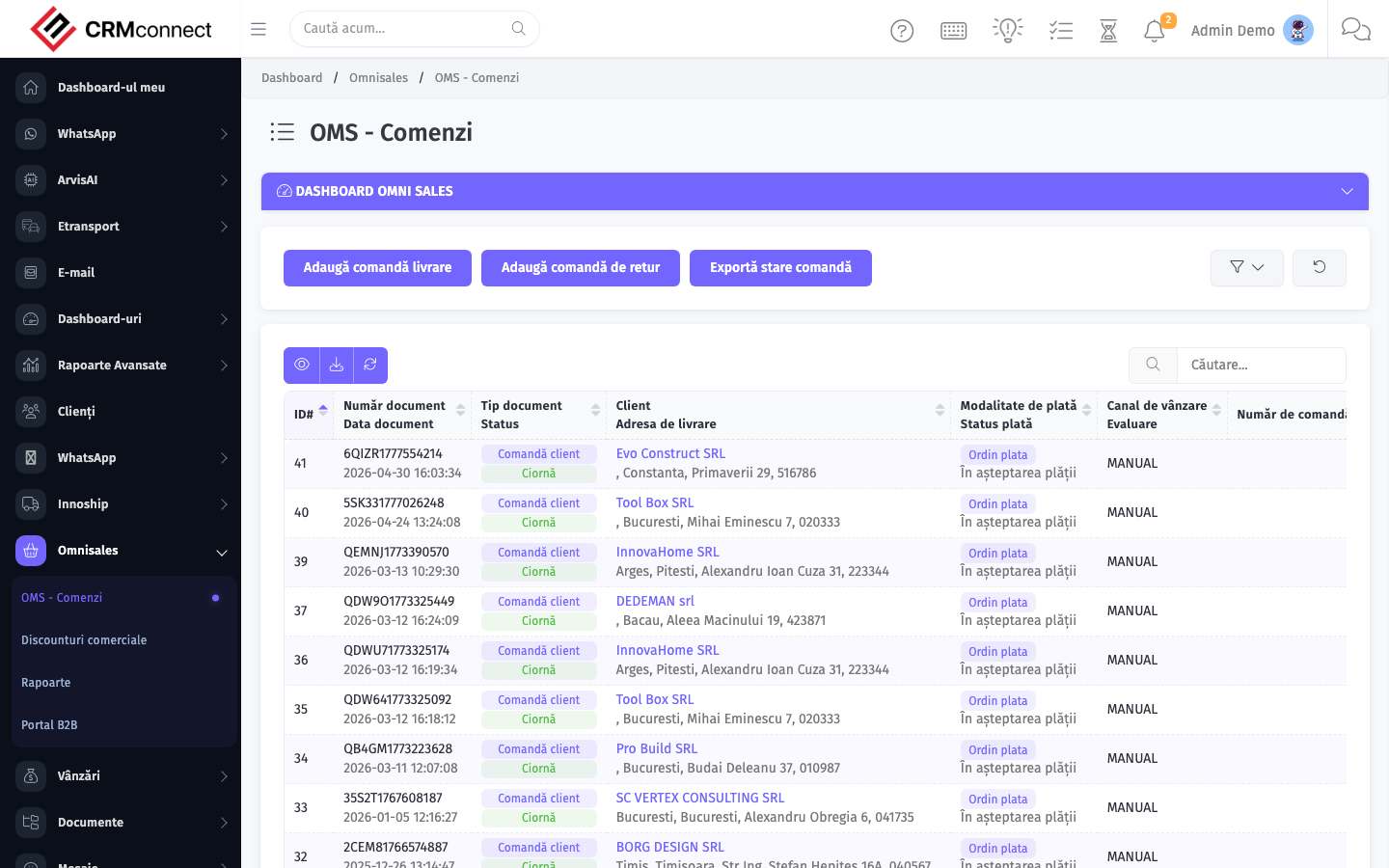
Accessing this module
From the admin sidebar, navigate to Omni Sales Orders, or open the URL directly:
/admin/omni_sales/order_list
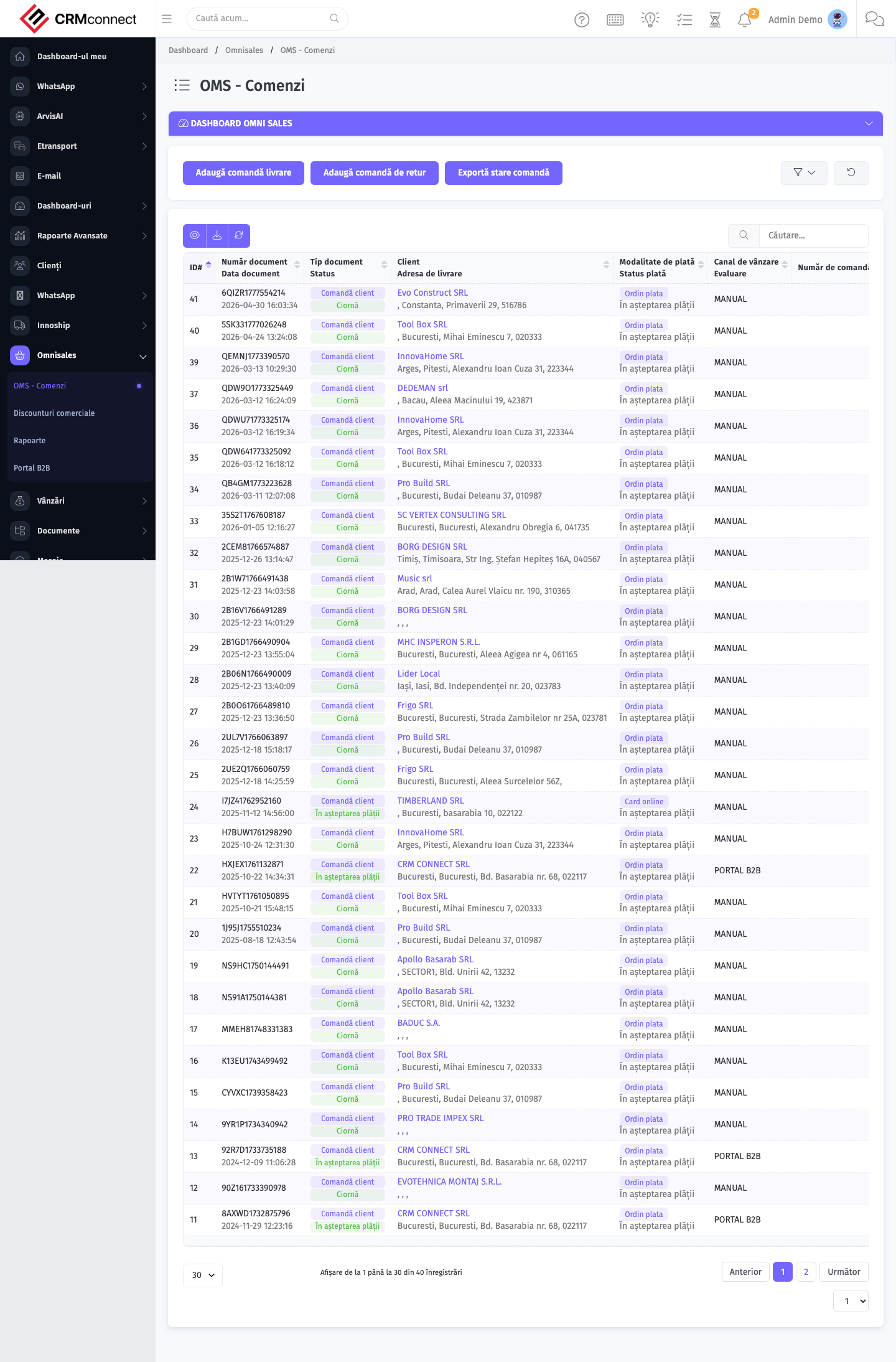
List view
The list view shows existing omni sales orders records. Use it to search, filter, sort, and bulk-act on items.
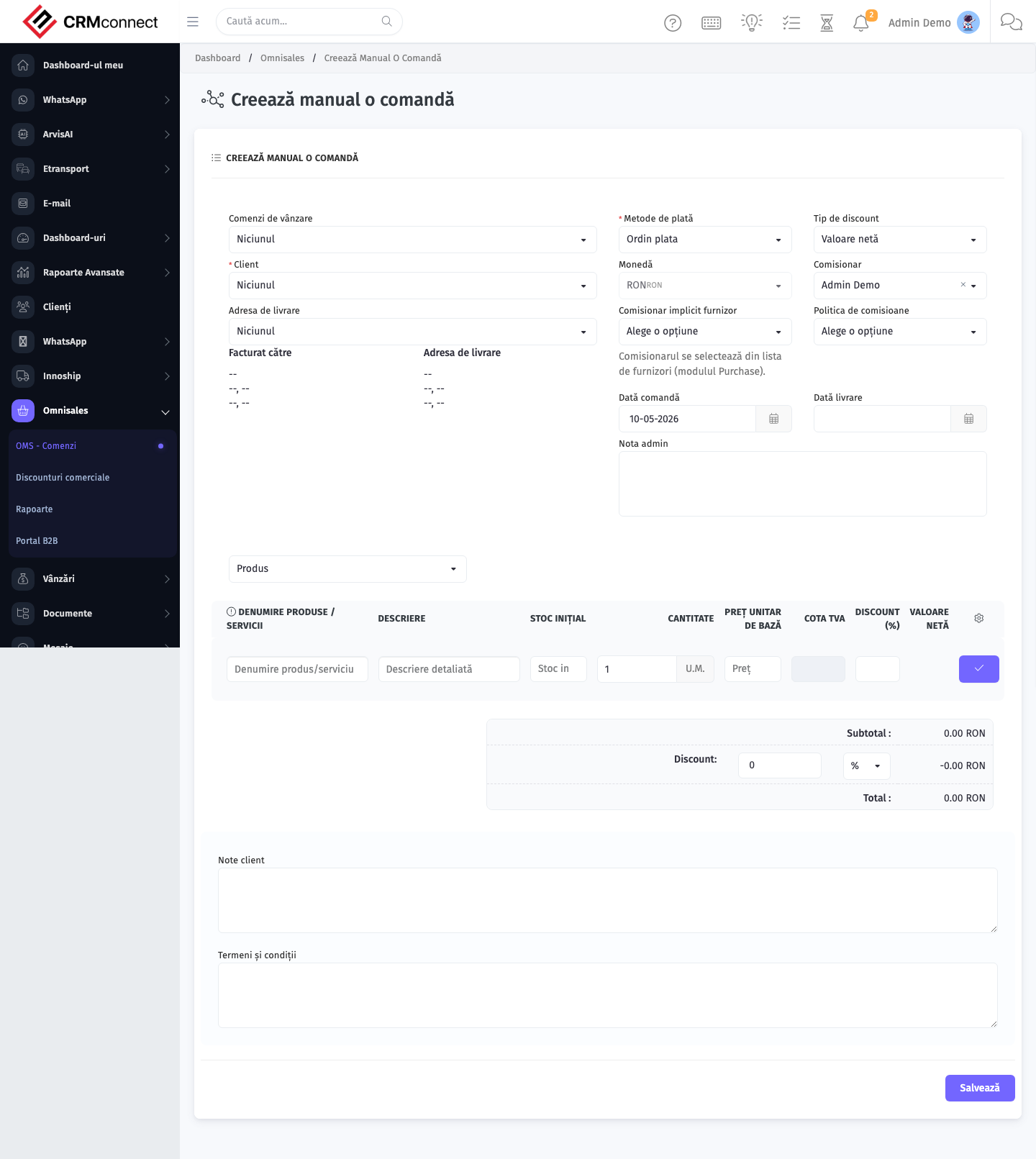
Create / edit form
Open the create form to add a new omni sales orders record. Editing an existing record uses the same form pre-populated with current values.
Common actions
- View existing records — open Omni Sales Orders from the sidebar to see the list view.
- Search and filter — use the search box and column filters to find records.
- Create a new record — click the Add / New button (or follow the "Create" URL above) and fill in the required fields.
- Edit a record — click a row to open the detail view, then use the edit action.
- Delete a record — use the row's delete action; deletion may be soft or hard depending on the module.
- Bulk operations — select multiple rows via the checkboxes and apply a bulk action from the toolbar (export, delete, status change, etc., where supported).
Filter the order list by channel when investigating a fulfilment issue — isolating by channel first confirms whether the problem is channel-specific or affects the entire platform, which directs the fix more quickly.
Omni orders cannot be created directly via the API — they are ingested from external channels through the sync process. The Create endpoint is blocked to prevent data inconsistency between the CRM and the external channel's order records.
API
This module is available via the REST API.
Authentication. All API requests require the header authtoken: <token> (generate one at /admin/api/api_management).
Base URL. https://your-domain.tld/api/
Key endpoints:
| Method | Path | Purpose |
|---|---|---|
GET |
{{base_url}}omni_sales/orders?page=1&per_page=50 |
List |
GET |
{{base_url}}omni_sales/orders/{{omni_record_id}} |
Get one |
POST |
{{base_url}}omni_sales/orders |
Create (Not allowed) |
PUT |
{{base_url}}omni_sales/orders/{{omni_record_id}} |
Update status |
DELETE |
{{base_url}}omni_sales/orders/{{omni_record_id}} |
Delete (Not allowed) |
GET |
{{base_url}}omni_sales/order_types?page=1&per_page=50 |
List |
GET |
{{base_url}}omni_sales/order_types/{{omni_record_id}} |
Get one |
POST |
{{base_url}}omni_sales/order_types |
Create |
PUT |
{{base_url}}omni_sales/order_types/{{omni_record_id}} |
Update |
DELETE |
{{base_url}}omni_sales/order_types/{{omni_record_id}} |
Delete |
GET |
{{base_url}}omni_sales/sales_channels?page=1&per_page=50 |
List |
GET |
{{base_url}}omni_sales/sales_channels/{{omni_record_id}} |
Get one |
GET |
{{base_url}}omni_sales/sales_channels/search/{{search_key}} |
Search |
POST |
{{base_url}}omni_sales/sales_channels |
Create |
PUT |
{{base_url}}omni_sales/sales_channels/{{omni_record_id}} |
Update |
DELETE |
{{base_url}}omni_sales/sales_channels/{{omni_record_id}} |
Delete |
GET |
{{base_url}}omni_sales/channel_products?page=1&per_page=50 |
List |
GET |
{{base_url}}omni_sales/channel_products/{{omni_record_id}} |
Get one |
POST |
{{base_url}}omni_sales/channel_products |
Create |
PUT |
{{base_url}}omni_sales/channel_products/{{omni_record_id}} |
Update |
See the full payload schemas, query parameters, and example responses in the API reference (`Omni Sales`).
Captured: 2026-05-10T09:51:26.776Z · Source: demo.crmconnect.io/admin/omni_sales/order_list