Loss & Adjustments
Section: Warehouse Management (WMS)
URL:/admin/warehouse/loss_adjustment
Page title: (2) Ajustări și pierderi
Overview
Loss & adjustment notes record stock variances — damage, theft, expiry, or reconciliation corrections.
Business value
Records stock variances — damage, theft, expiry, count corrections — with reason codes so you can analyse why inventory is leaking and act on it.
- Who uses it: Warehouse manager, finance, internal audit
- Key benefit: Quantifies and explains shrinkage so it can be reduced.
- Metrics it influences: Shrinkage rate, write-off value, count accuracy
Typical use cases:
- Write off expired food product with reason "expiry"
- Adjust to physical count after annual inventory
At a glance

Accessing this module
From the admin sidebar, navigate to Loss & Adjustments, or open the URL directly:
/admin/warehouse/loss_adjustment
List view
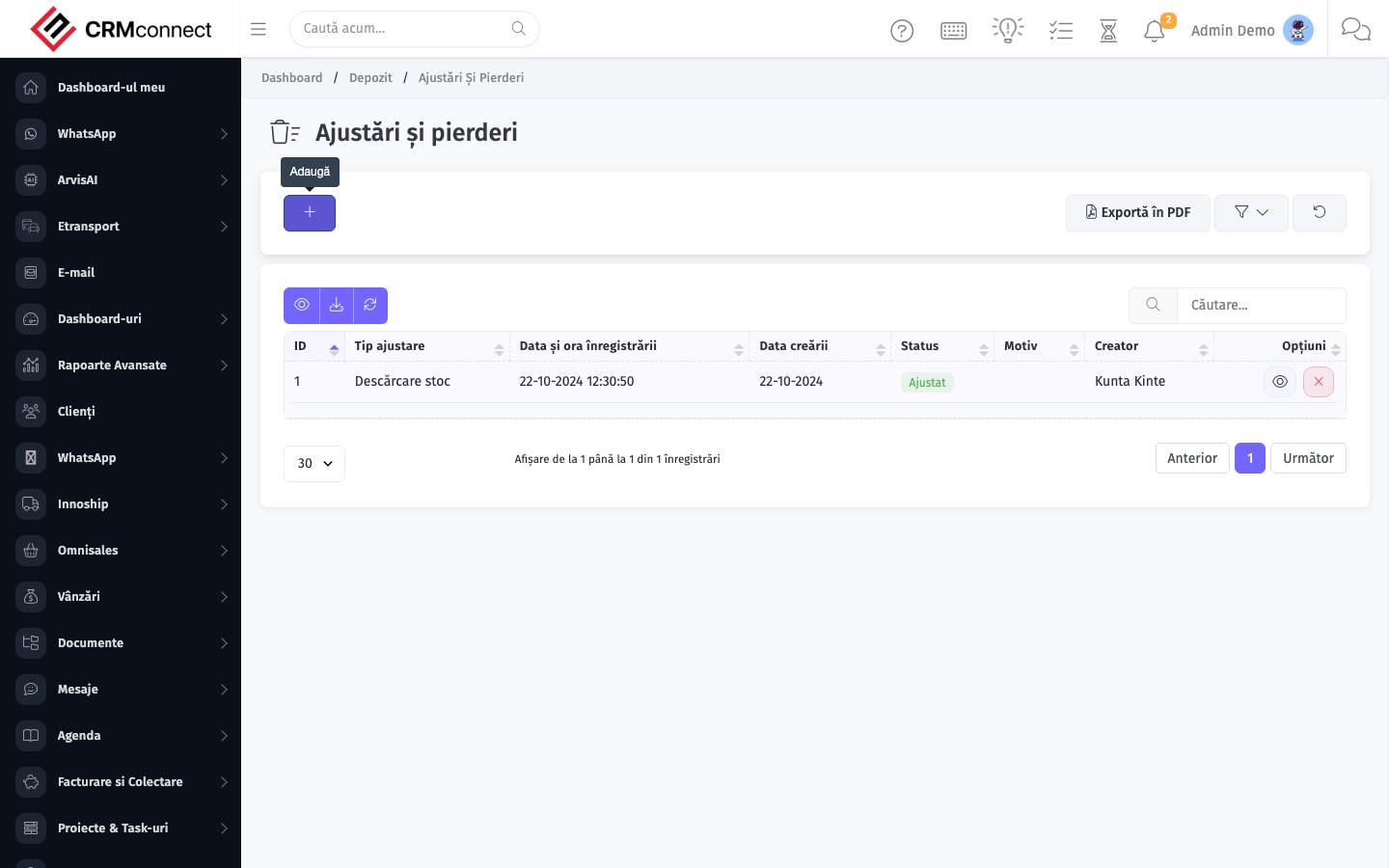
The list view shows existing loss & adjustments records. Use it to search, filter, sort, and bulk-act on items.
Create / edit form
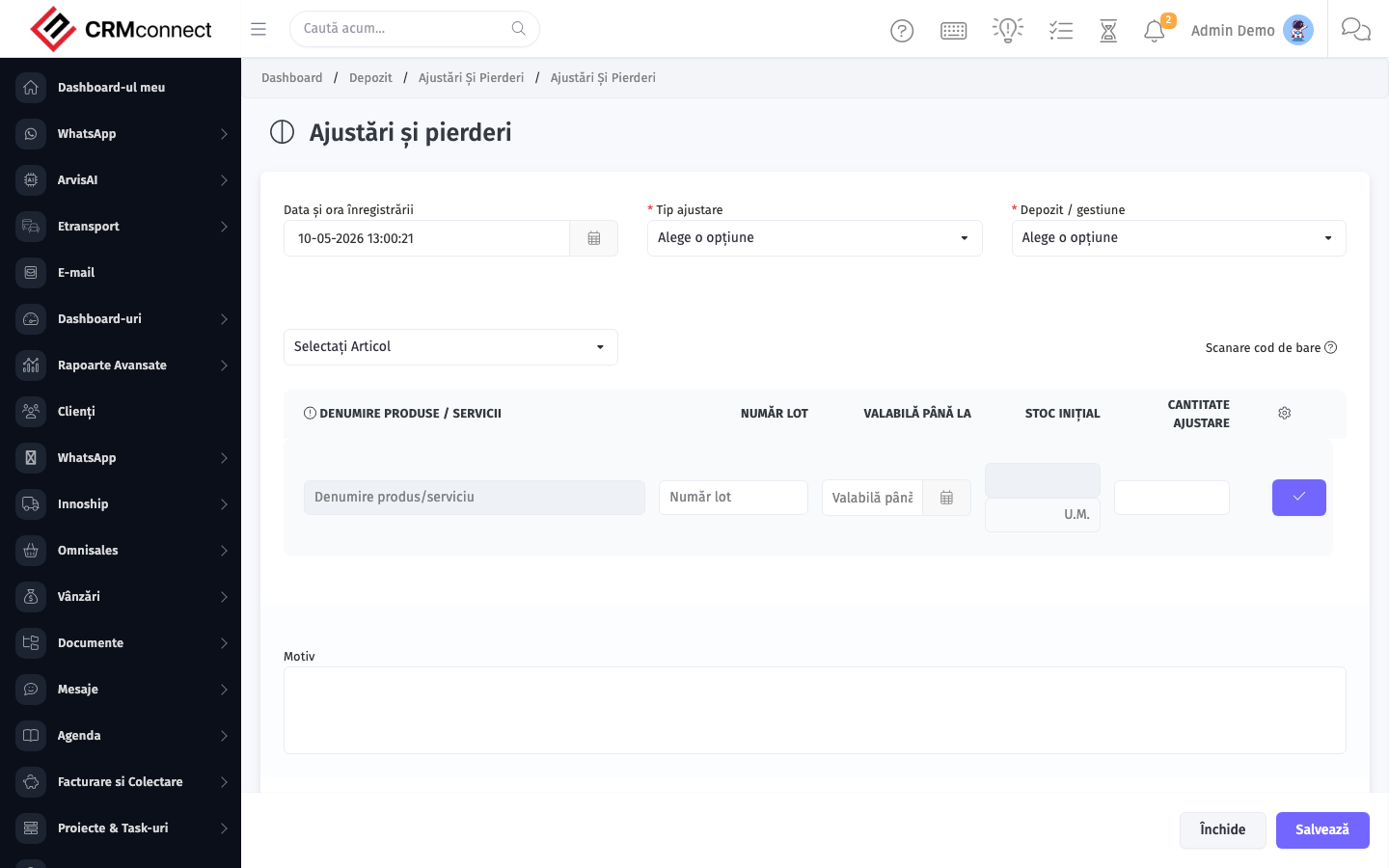
Open the create form to add a new loss & adjustments record. Editing an existing record uses the same form pre-populated with current values.
Common actions
- View existing records — open Loss & Adjustments from the sidebar to see the list view.
- Search and filter — use the search box and column filters to find records.
- Create a new record — click the Add / New button (or follow the "Create" URL above) and fill in the required fields.
- Edit a record — click a row to open the detail view, then use the edit action.
- Delete a record — use the row's delete action; deletion may be soft or hard depending on the module.
- Bulk operations — select multiple rows via the checkboxes and apply a bulk action from the toolbar (export, delete, status change, etc., where supported).
A Loss & Adjustment permanently changes the stock balance with a reason code that is recorded in Warehouse History. Verify the physical count before confirming — incorrect adjustments require a counter-adjustment and leave two entries in the audit trail.
Use descriptive reason codes ("Expiry Jan 2026", "Transit Damage — Supplier X", "Physical Count Correction Q1") rather than generic codes like "Loss". The reason code feeds the analysis of why inventory is shrinking and enables targeted corrective action.
API
This module is available via the REST API.
Authentication. All API requests require the header authtoken: <token> (generate one at /admin/api/api_management).
Base URL. https://your-domain.tld/api/
Key endpoints:
| Method | Path | Purpose |
|---|---|---|
GET |
{{base_url}}wms/warehouse_manage?page=1&per_page=50 |
List |
GET |
{{base_url}}wms/warehouse_manage/{{wms_record_id}} |
Get one |
POST |
{{base_url}}wms/warehouse_manage |
Create |
PUT |
{{base_url}}wms/warehouse_manage/{{wms_record_id}} |
Update |
DELETE |
{{base_url}}wms/warehouse_manage/{{wms_record_id}} |
Delete |
GET |
{{base_url}}wms/commodity_list?page=1&per_page=50 |
List |
GET |
{{base_url}}wms/commodity_list/{{wms_record_id}} |
Get one |
GET |
{{base_url}}wms/commodity_list/search/{{search_key}} |
Search |
POST |
{{base_url}}wms/commodity_list |
Create |
PUT |
{{base_url}}wms/commodity_list/{{wms_record_id}} |
Update |
DELETE |
{{base_url}}wms/commodity_list/{{wms_record_id}} |
Delete |
GET |
{{base_url}}wms/manage_purchase?page=1&per_page=50 |
List |
GET |
{{base_url}}wms/manage_purchase/{{wms_record_id}} |
Get one |
POST |
{{base_url}}wms/manage_purchase |
Create |
PUT |
{{base_url}}wms/manage_purchase/{{wms_record_id}} |
Update |
DELETE |
{{base_url}}wms/manage_purchase/{{wms_record_id}} |
Delete |
GET |
{{base_url}}wms/manage_delivery?page=1&per_page=50 |
List |
GET |
{{base_url}}wms/manage_delivery/{{wms_record_id}} |
Get one |
POST |
{{base_url}}wms/manage_delivery |
Create |
PUT |
{{base_url}}wms/manage_delivery/{{wms_record_id}} |
Update |
See the full payload schemas, query parameters, and example responses in the API reference (`WMS`).
Captured: 2026-05-10T09:51:26.776Z · Source: demo.crmconnect.io/admin/warehouse/loss_adjustment